
Built for Jobber teams with 5–20 techs
Stop Losing $1,000–$3,000/Month to Overtime and Drive Time
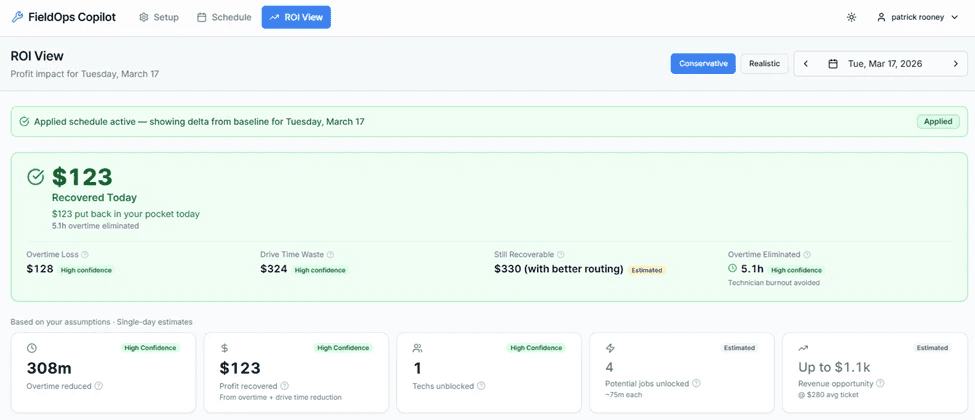
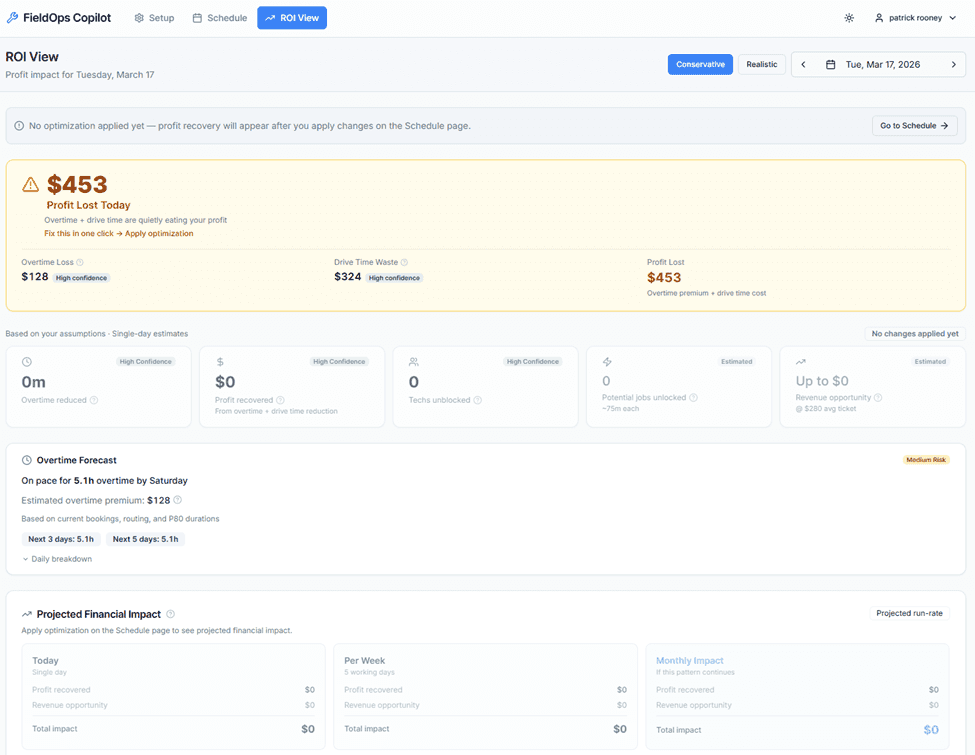
Connect your Jobber account and see exactly where you're losing profit — then fix it in one click before the day starts.
Start Your Free 30-Day Pilot
Start Your Free 30-Day Pilot
What you can do instantly:
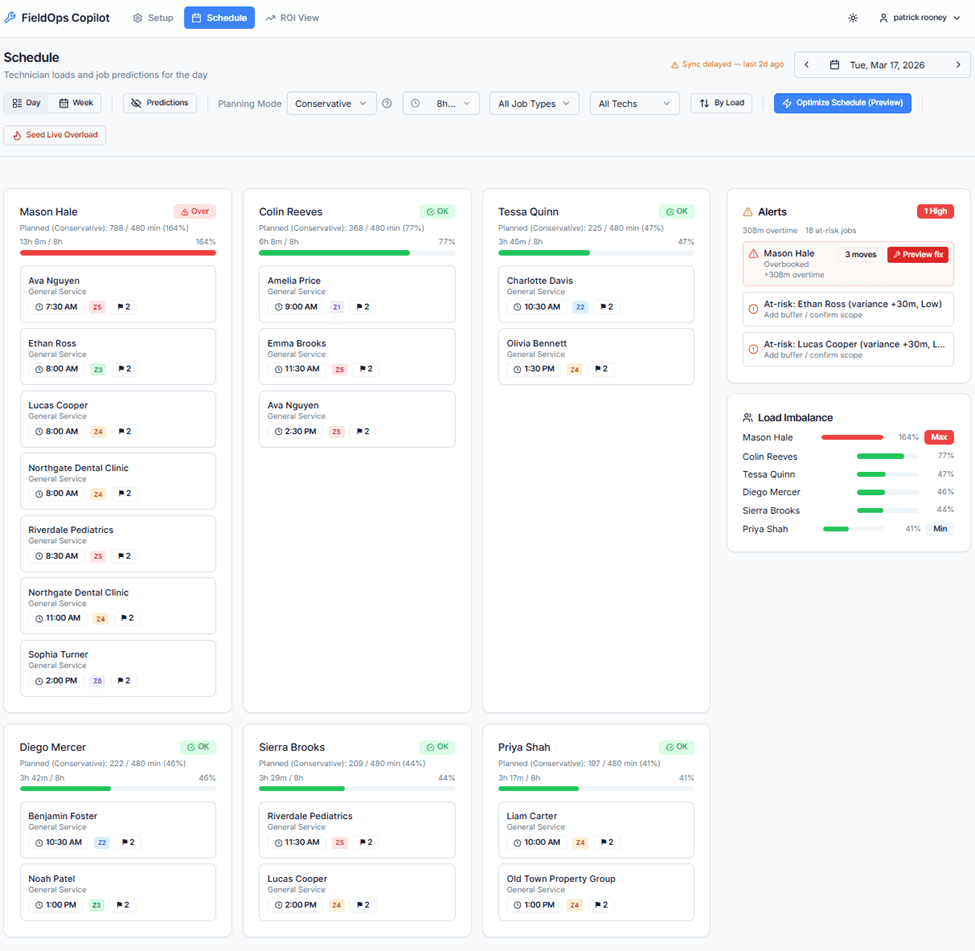
Reassign, reorder, or rebalance jobs in seconds
Every change shows time saved and risk reduced
Travel-aware, zone-aware optimization
Undo anything instantly
Re-optimize the remaining day as conditions change
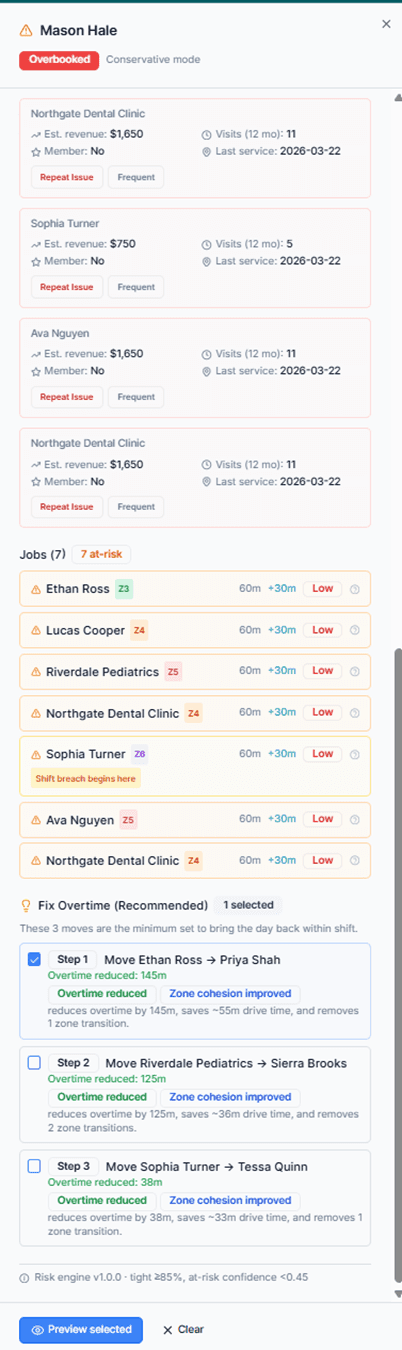
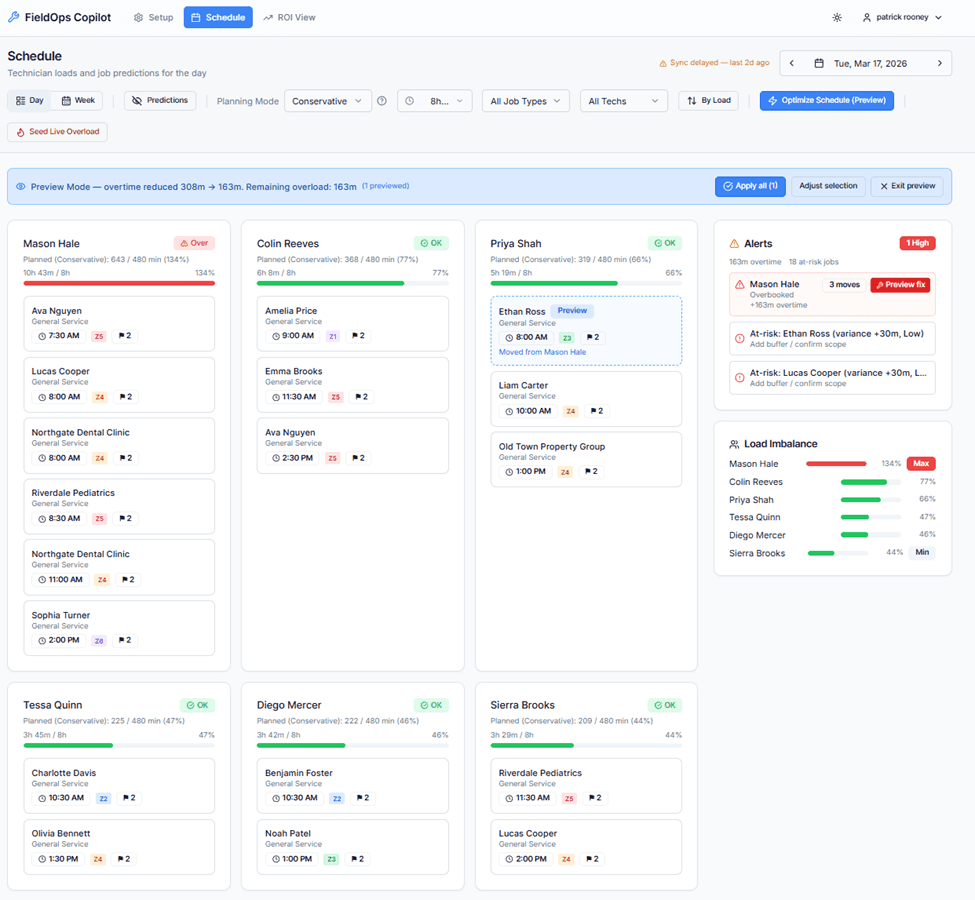
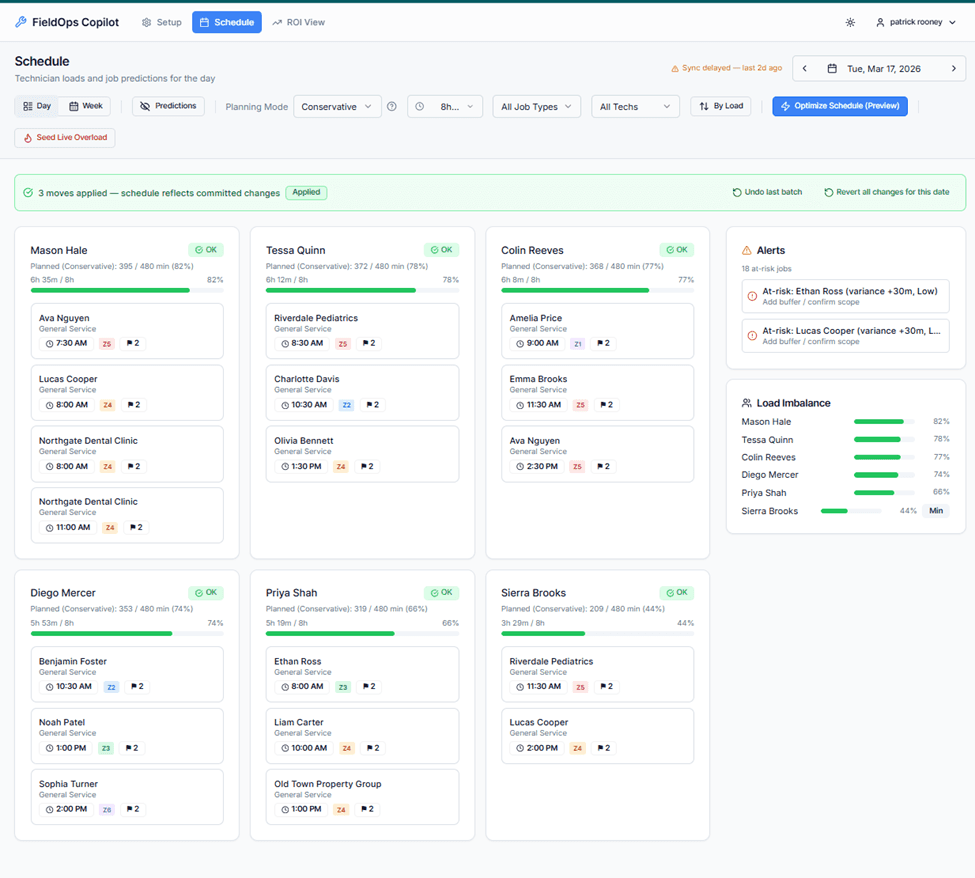
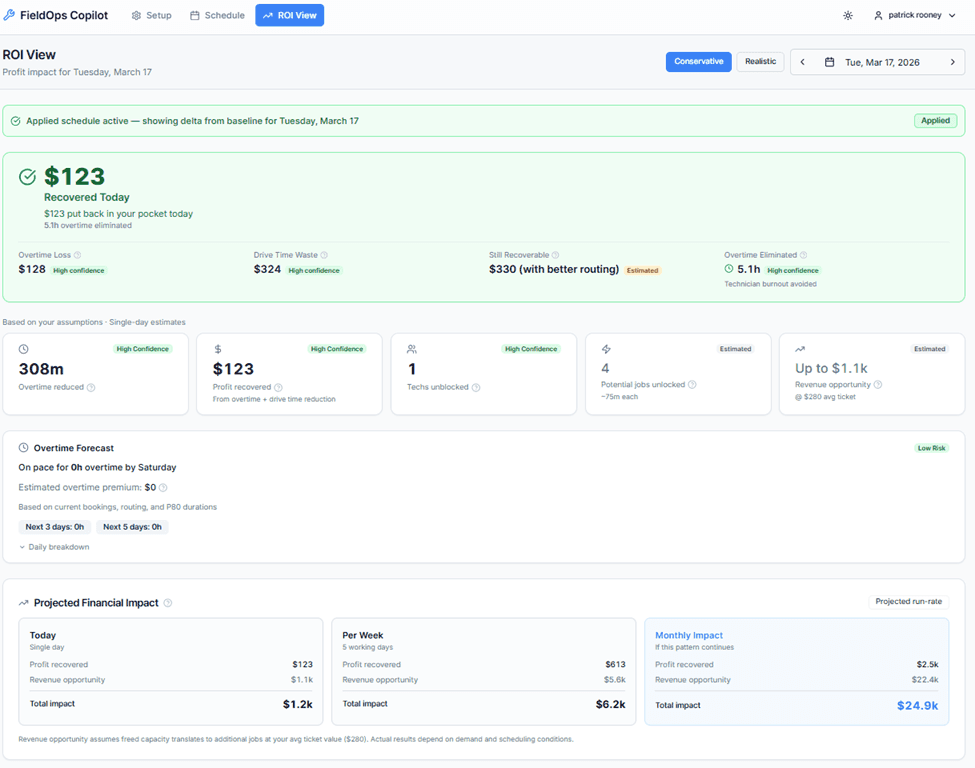
The HVAC schedule problem
More Than Schedule Optimization
FieldOps Copilot doesn't just identify scheduling opportunities. It helps dispatchers understand operational risk, improve schedule quality, and make better decisions throughout the day.

Schedule Quality
Know whether today's schedule is truly ready for the field.
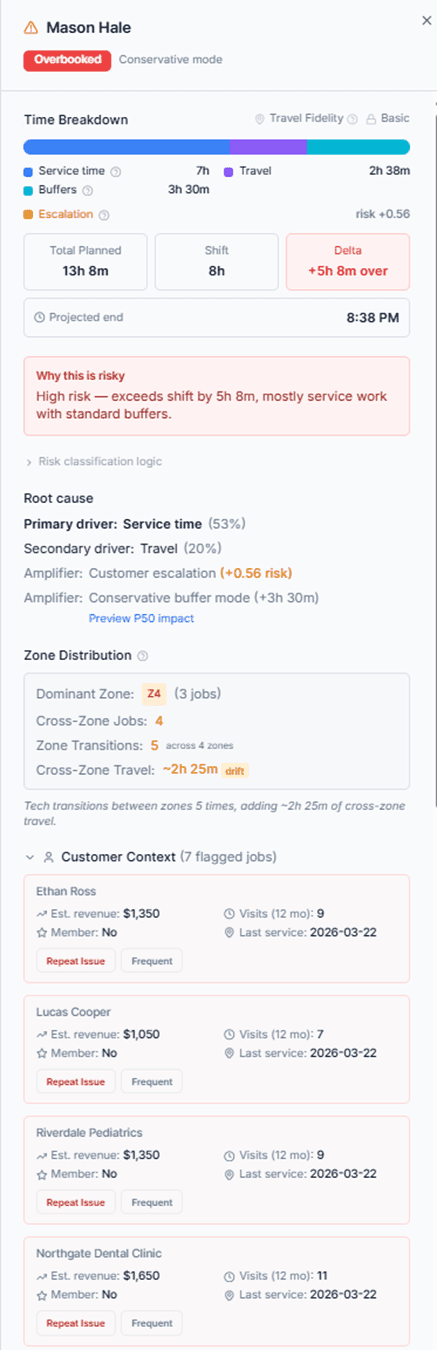
Identify workload imbalance, overtime exposure, travel inefficiencies, and operational risk before customers are impacted.

Intraday Optimization
The day rarely goes according to plan.
Re-optimize the remaining day around call-outs, emergencies, delays, and changing priorities while protecting customer commitments.

AI Assistant
Ask questions about your schedule and receive answers grounded in actual operational data.
Understand technician workload, capacity constraints, risk factors, and optimization recommendations in plain language.
Explore All Features
Explore All Features
This Isn’t Guesswork — It’s Your Actual Schedule
Every insight is based on your actual schedule — not guesses or estimates.
Uses your real Jobber schedule — not projections
Includes drive time, technician load, and constraints
Conservative assumptions — no inflated ROI
Shows exactly where profit is lost before the day starts
Built for Jobber — Not Another System to Learn
Copilot works on top of Jobber, so your team keeps using what they already know.
No migration. No retraining. No disruption.
No new system or workflow to learn
Secure one-click Jobber connection
Syncs jobs, techs, and schedules automatically
Writes approved changes back into Jobber
No double entry. No disruption
Step 1 — Connect Jobber
One click. Your data syncs instantly.
Step 2 — See Lost Profit
Copilot shows exactly where you're losing profit before the day starts.
Step 3 — Fix It
Apply changes instantly and reduce overtime immediately.
What Industry Professionals Told Us
"Much of what makes a dispatcher successful is knowledge that's just in your head."
Residential Operations Manager
"The right technician is more important than the closest technician."
Residential Operations Manager
"The schedule changes constantly throughout the day."
Field Service Technician & Former Service Manager
"Keeping customers informed is just as important as keeping technicians moving."
Operations Leaders and Dispatch Professionals
"Experience is what makes a great dispatcher. It takes time to learn."
Operations Manager
"The best AI should help dispatchers make better decisions—not replace them."
A recurring theme across multiple interviews
No risk. No commitment.
Free for 30 days
No credit card required.
Everything you need to find lost profit:
Full feature access
Jobber integration included
Dedicated onboarding support
⚠️ Limited pilot spots available — we onboard teams manually
FAQ
No credit card required. Setup takes less than 10 minutes.
See My Lost Profit
See My Lost Profit
⚠️ Limited pilot spots available — we onboard teams manually