
Built for HVAC teams on Jobber
Emergency calls, seasonal spikes, long drive times, and overworked techs — HVAC schedules get messy fast. FieldOps Copilot connects to your Jobber account and shows where overtime and drive time are likely costing you, every day.
See My Lost Profit
See My Lost Profit
The HVAC schedule problem
The Five Things Quietly Costing Your HVAC Shop Money Every Week.
You already know the day got expensive. The question is where — and which moves would have changed that.
Pain 01
Emergency calls blow up the day
One no-heat call reshuffles three techs' schedules. Routes degrade. Maintenance jobs slip. The rest of the day rarely gets re-optimized.
Pain 02
Overloaded senior techs
Your best techs get the hard jobs — and the overtime. Junior techs sit at 60% utilization. You feel it in burnout and turnover.
Pain 03
Seasonal spikes you can't out-hire
July and January don't wait for your hiring pipeline. The team you have is the team you've got — so the schedule has to absorb more work.
Pain 04
Drive time eating margin
Cross-zone routing on a hot day means hours of unbillable windshield time. Fuel costs quietly compound across a 10+ truck fleet.
Pain 05
Overtime you only see on Friday
By the time payroll runs, the OT is already earned. Better sequencing on Monday and Tuesday would have prevented it — if anyone had been able to see it coming.
What Copilot does for HVAC shops
Built for the way HVAC dispatchers actually work.
Copilot reads your Jobber schedule, scores it across the operational dimensions that matter for HVAC, and recommends specific moves — often with a clear, defensible dollar impact attached.
Each morning, Copilot shows you which techs are likely on pace for overtime, which routes are zone-heavy, and where capacity is sitting unused — with the dollar exposure on each.
Overtime forecast by tech, by day, by week
Zone-aware routing recommendations
Load balance scores per technician
Review and apply approved schedule changes back into Jobber (optional)
Fully reversible changes
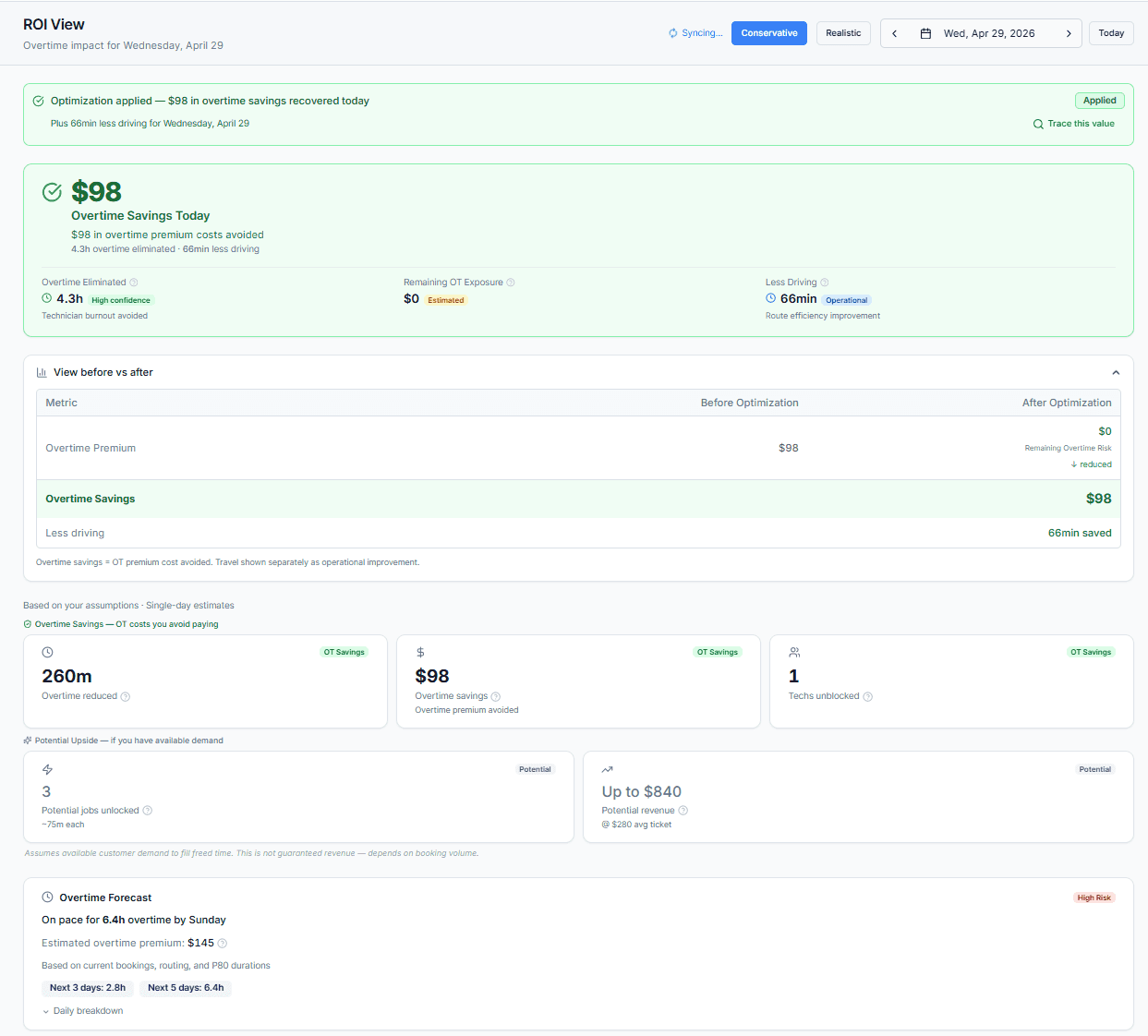
Illustrative HVAC ROI
Small inefficiencies, real annual numbers.
Two simple, conservative examples for a typical HVAC shop running 5–20 technicians on Jobber.
These are modeled estimates, not customer-validated outcomes. Actual results vary based on your schedule, market, and operational decisions. Connect your Jobber account and we'll run the math on your actual schedule.
Illustrative HVAC ROI
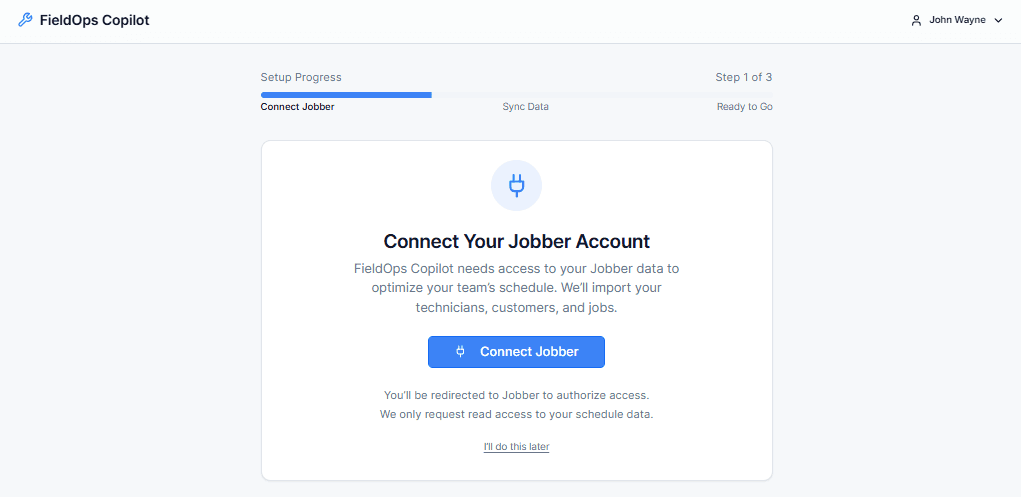
Step 1 — Connect Jobber
One-click OAuth. Jobs, customers, and HVAC technicians sync automatically.
Step 2 — See Lost Profit
Copilot shows where overtime, drive time, and load imbalance may be costing your shop today.
Step 3 — Apply fixes
Approve recommended moves and Copilot can apply them back into Jobber. eversible anytime.
Designed for growing HVAC businesses
Built to work with Jobber. Focused on operational efficiency and profit recovery.
Operational focus
FieldOps Copilot is built to address the day-to-day operational realities that quietly erode margin in growing HVAC businesses:
Want the technical detail? See how Jobber integration works.
Pre-qualifying fit
We're focused on a specific kind of team. If you're outside this profile, Copilot probably isn't the right fit yet — and we'd rather tell you that up front.
Built for
Residential field service teams
5–20 technicians
Teams already using Jobber
Dispatchers making daily scheduling decisions
Not ideal for
Solo operators
Large enterprise FSM environments
Capacity recovery without adding headcount
FAQ
HVAC scheduling questions.
Does this work for emergency HVAC scheduling?
Yes. HVAC schedules change constantly due to urgent service calls. FieldOps Copilot helps identify how those schedule changes affect technician load, drive time, and overtime risk.
Can it help during seasonal spikes?
Yes. During peak heating and cooling seasons, workload balancing becomes even more important. FieldOps Copilot helps maximize existing technician capacity before adding headcount.
Does this work with specialized HVAC technicians?
Yes. Recommendations are designed to respect technician skills, certifications, and service areas. See how Copilot identifies overtime risk.
Can this reduce overtime in HVAC?
FieldOps Copilot helps identify scheduling inefficiencies that may contribute to overtime. Actual overtime reduction depends on operational decisions and schedule changes.
Do I need to change how my team uses Jobber?
No. Your team keeps using Jobber normally. FieldOps Copilot works alongside it to improve schedule efficiency.
What is Schedule Quality?
Schedule Quality is a read-only operational health score that evaluates workload balance, travel efficiency, overtime exposure, and scheduling risk to help identify fragile schedules before customers are impacted.
Can I optimize the remaining workday?
Yes. FieldOps Copilot can evaluate the remaining appointments in the day while respecting completed work, active appointments, dispatcher decisions, and locked jobs.
How does the AI Assistant work?
The AI Assistant answers questions about your schedule using actual operational data, optimization results, technician workloads, and schedule conditions. It explains recommendations without making scheduling decisions on your behalf.
Start your pilot and connect your Jobber account — we’ll guide you through setup and show you, in your real schedule, what each feature would have saved last week.
See My Lost Profit
See My Lost Profit