
Built to work with Jobber
Keep Jobber.
Optimize the layer above it.
Jobber organizes your schedule. FieldOps Copilot reads it, identifies where overtime and drive time are quietly impacting profit, and lets you apply approved schedule changes back into Jobber when you choose — all without changing how your team works.
See My Lost Profit
See My Lost Profit
The gap Jobber wasn't built to close
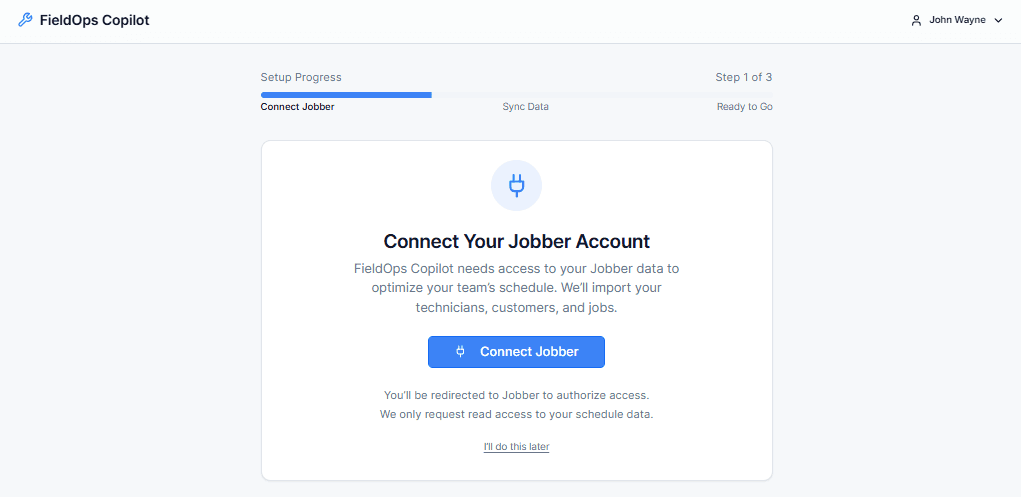
Jobber is excellent at managing the work — jobs, customers, dispatch, invoicing. But "managed" isn't the same as "optimized." Most field service teams have profit leaking out of the schedule they already built.
Technicians on overtime that better sequencing could have avoided
Hours of unnecessary drive time between zones
Two techs at 110% capacity, three techs at 60%
Dispatchers often making routing decisions on instinct, not data
The schedule isn't broken. It's just not optimized. That's a different problem — and it needs a different tool.
How we fit
Jobber manages the work. Copilot optimizes it.
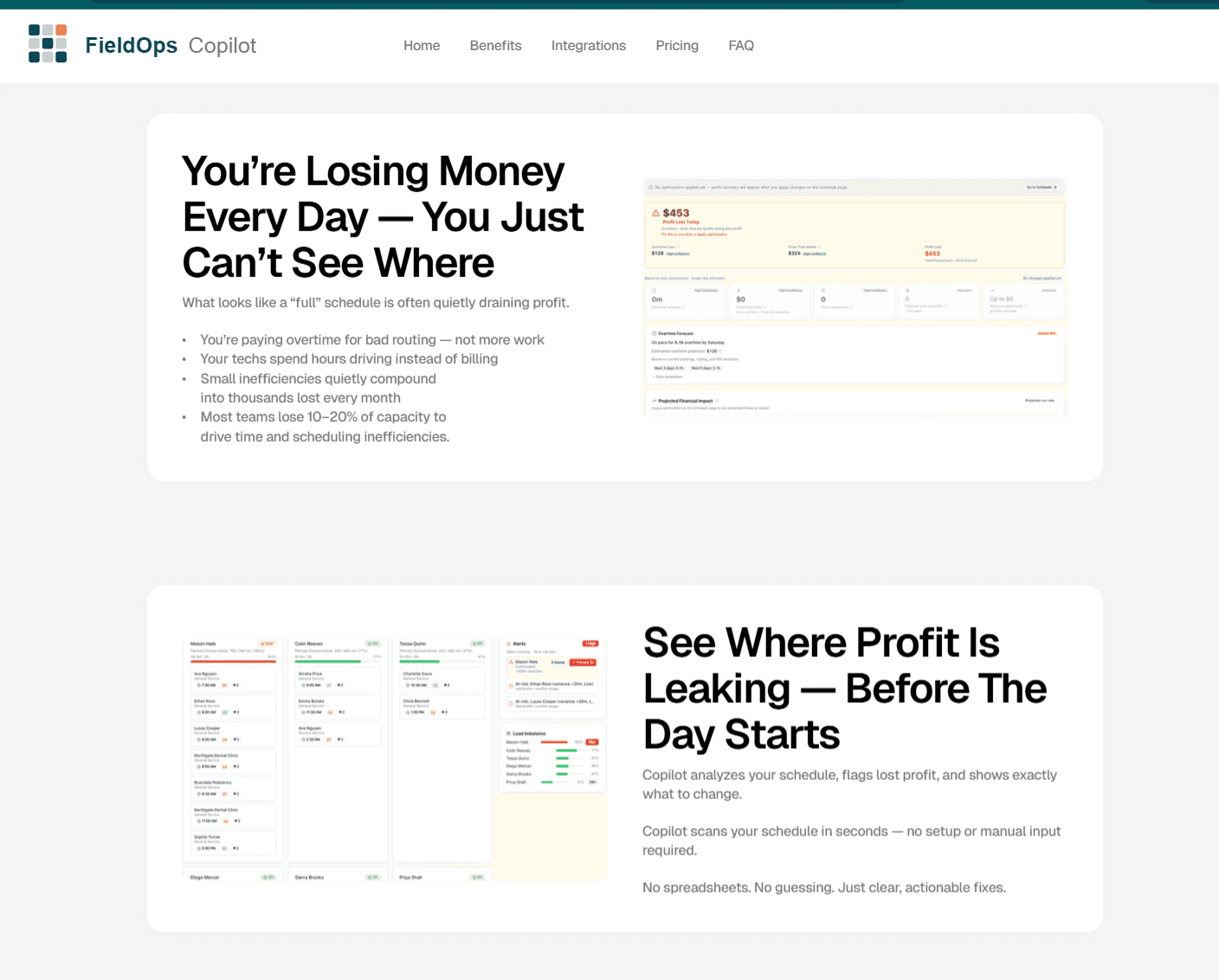
Two layers, one workflow. Your team stays in Jobber. Copilot runs alongside it — reading your schedule, surfacing what may be costing you, and letting you apply approved schedule changes back into Jobber.
System of record
Jobber
Where the work lives.
Customers, properties, and contracts
Job creation, dispatch, and scheduling
Technician mobile workflows
Invoicing and payments
System of record
FieldOps Copilot
Where hidden profit opportunities exist.
Overtime exposure — before it's earned
Drive-time waste — before the truck rolls
Workload imbalance across techs
Capacity recovery without adding headcount
Copilot does not replace Jobber, change your dispatch process, or require any new app for your field team.
How it connects
Connect in Minutes. No Workflow Changes.
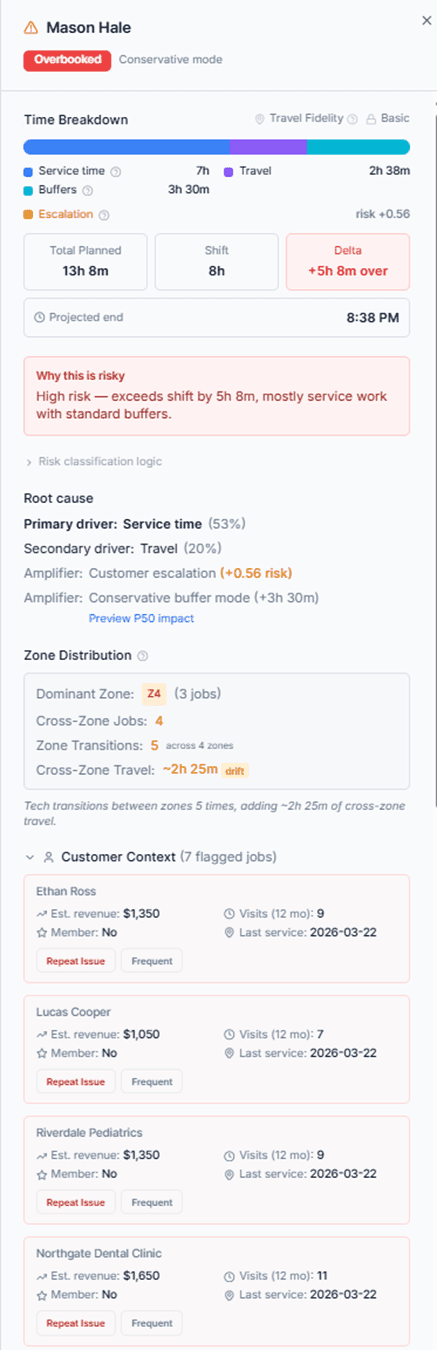
Connect once through Jobber's secure OAuth. Copilot syncs your schedule, analyzes it continuously, and stays in sync as your day changes.
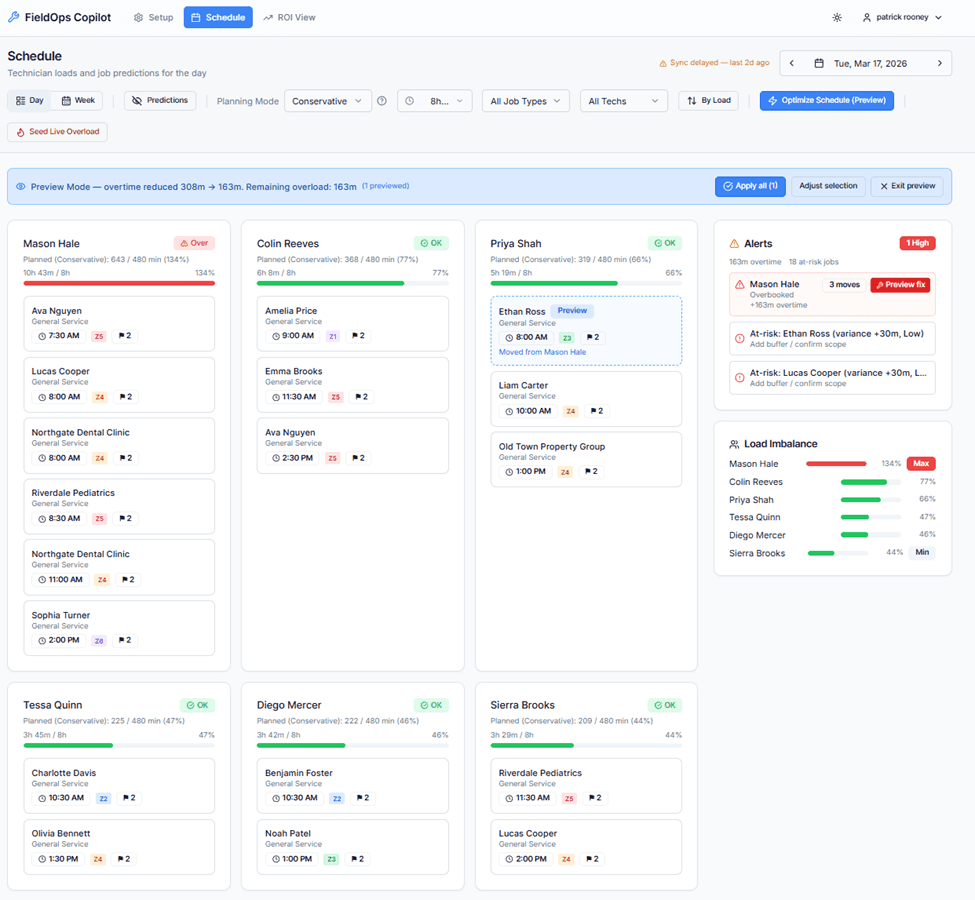
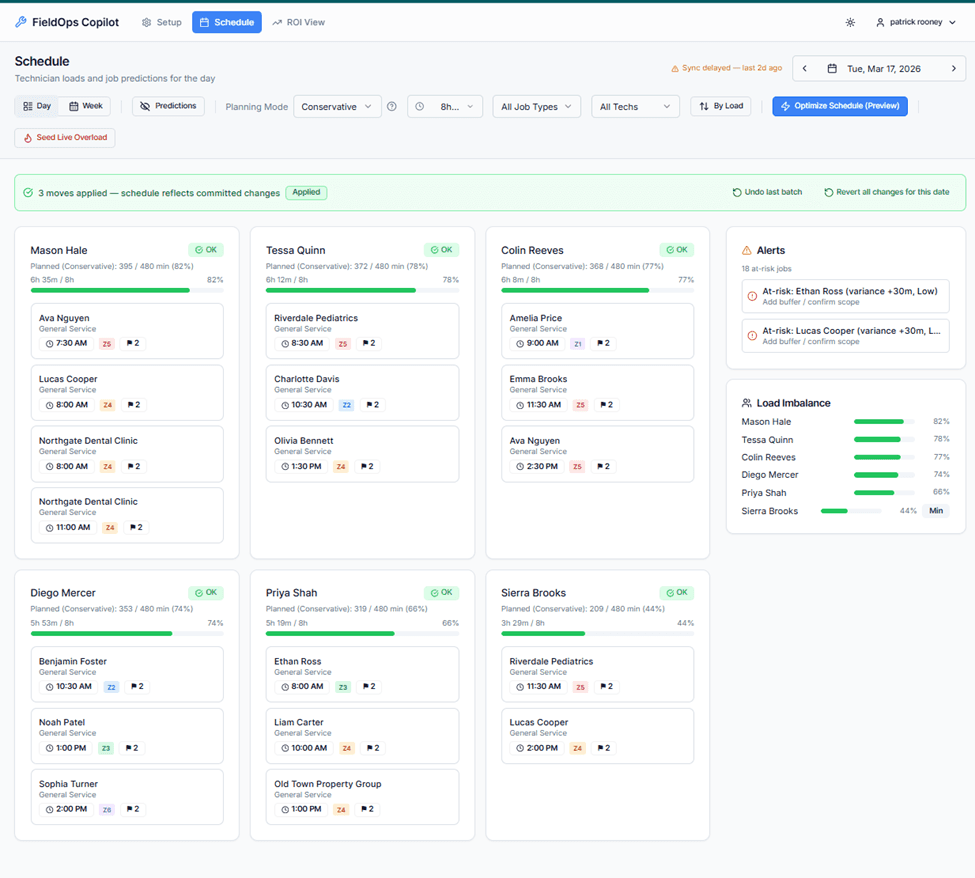
What gets analyzed
Five signals hiding in your Jobber schedule
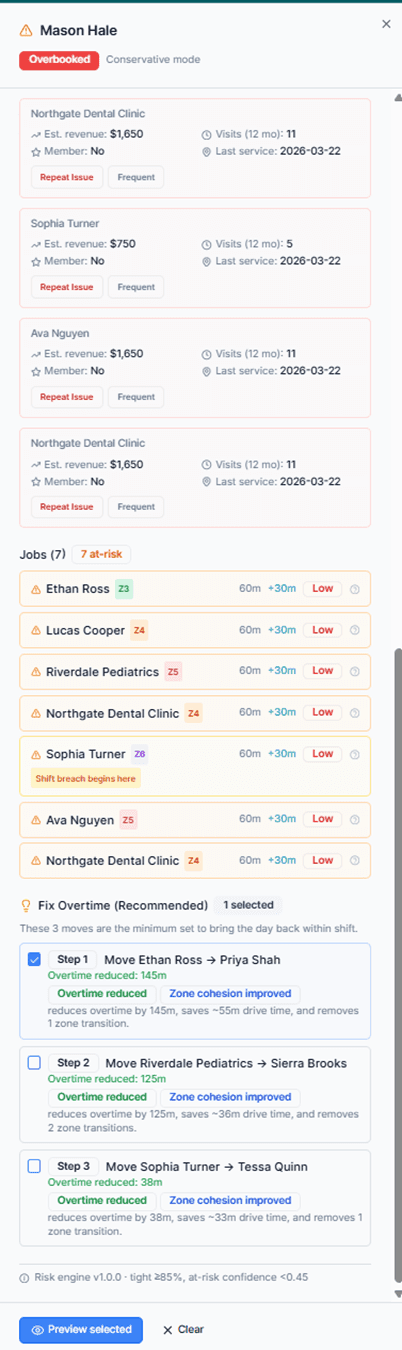
Copilot reads the schedule you already have and continuously scores it across the operational dimensions that drive profit — or quietly bleed it.
Signal 01 - Overtime exposure
Forecasts which technicians are on pace for overtime based on current bookings, routing, and realistic job durations — before the hours are earned.
Signal 02 - Route inefficiency
Identifies cross-zone drive time and out-of-sequence stops. Suggests reorders that can reduce miles without changing what gets done.
Signal 03 - Workload imbalance
Surfaces techs running hot while others sit at 60%. Recommends rebalancing moves that respect skills, zones, and customer commitments.
Signal 04 - Capacity recovery
Quantifies hours and potential revenue you could recover without adding headcount — from time freed up by better sequencing.
Signal 05 - ROI visibility
Most recommendations include a clear dollar estimate: estimated overtime avoided, drive time saved, capacity unlocked. Conservative assumptions by default. You see exactly what each change is worth before you approve it.
Operational focus
Built for real field service scheduling challenges.
FieldOps Copilot is built to address the day-to-day operational realities that quietly erode margin in growing field service businesses:
Want the full breakdown? Explore all features.
Pre-qualifying fit
Who FieldOps Copilot is built for.
We're focused on a specific kind of team. If you're outside this profile, Copilot probably isn't the right fit yet — and we'd rather tell you that up front.
Built for
Residential field service teams
5–20 technicians
Teams already using Jobber
Dispatchers making daily scheduling decisions
Where the profit hides.
Solo operators
Large enterprise FSM environments
Teams not using Jobber
FAQ
Questions about how FieldOps Copilot works with Jobber.
Does FieldOps Copilot replace Jobber?
No. FieldOps Copilot is designed to work alongside Jobber, not replace it. Jobber remains your operational system of record for customers, jobs, scheduling, and invoicing. FieldOps Copilot helps analyze and optimize the schedule you already manage in Jobber.
How long does setup take?
Most teams can connect their Jobber account and review their first schedule analysis in under 10 minutes.
Do my technicians need to learn new software?
No. Your field team continues using Jobber as they do today. FieldOps Copilot is primarily used by owners, dispatchers, and operations managers to improve scheduling efficiency.
Can I undo schedule changes?
Yes. Any approved schedule changes made through FieldOps Copilot are designed to be reversible.
Is my Jobber data secure?
Yes. FieldOps Copilot connects using Jobber's secure OAuth connection. Credentials are never shared directly, and access can be disconnected at any time.
Pilot onboarding is hands-on and takes about 10 minutes.
⚠️ Limited pilot spots available — we onboard teams manually