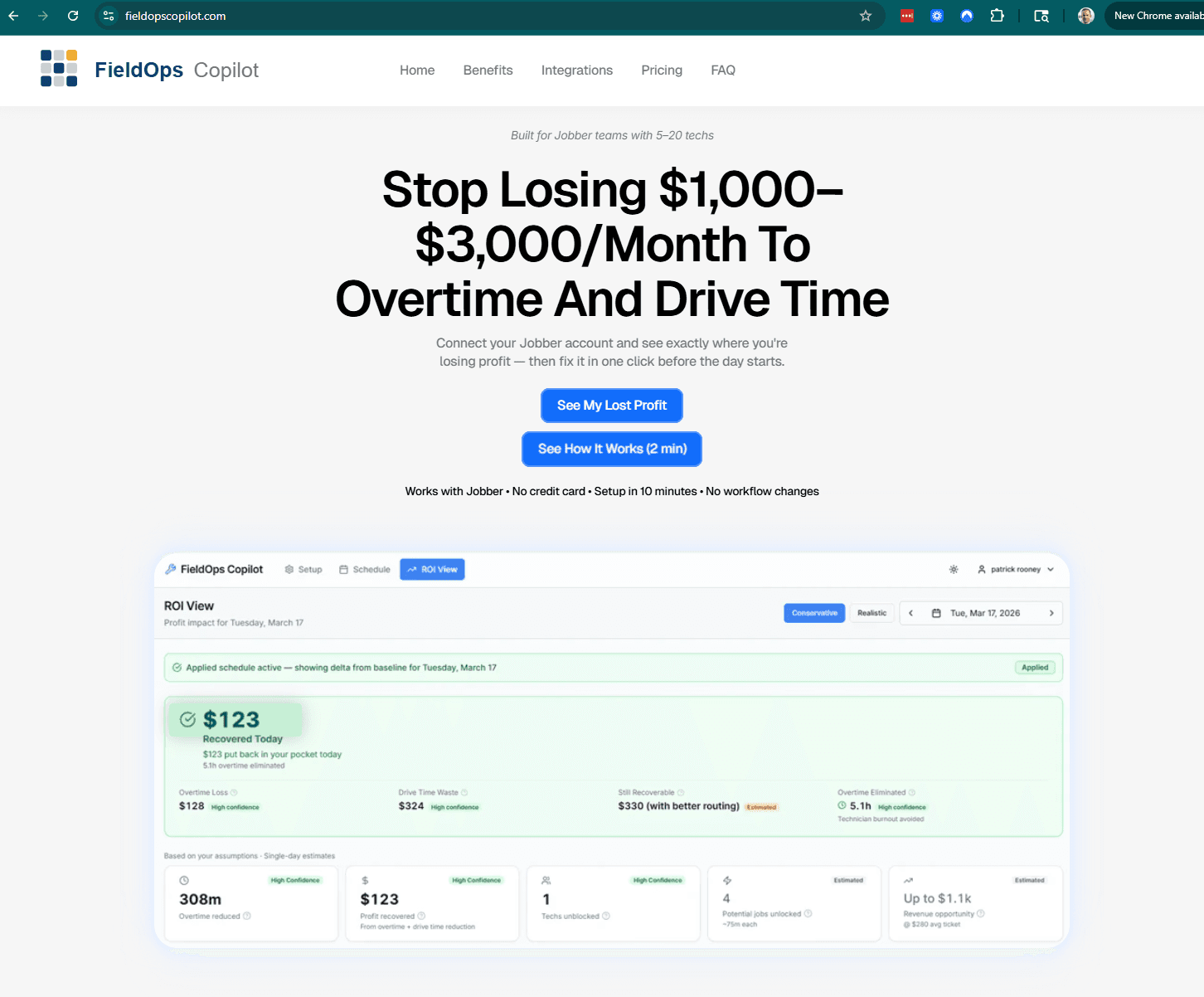
What Copilot does

Five Ways To Identify and Reduce Overtime, Drive Time, and Hidden Schedule Waste

Copilot isn't a feature dump. It's five tightly-scoped capabilities built around the operational decisions that actually improve margin for a 5–20 technician field service team.

See My Lost Profit

See My Lost Profit

Built for teams already running on Jobber • No new system to learn

Built for teams already running on Jobber • No new system to learn

Overtime visibility — forecast OT before it's earned

Workload balancing — rebalance overloaded techs

Route efficiency — reduce avoidable drive time

Capacity recovery — unlock hours without hiring

ROI visibility — every change tied to a dollar figure

1

1

Overtime visibility

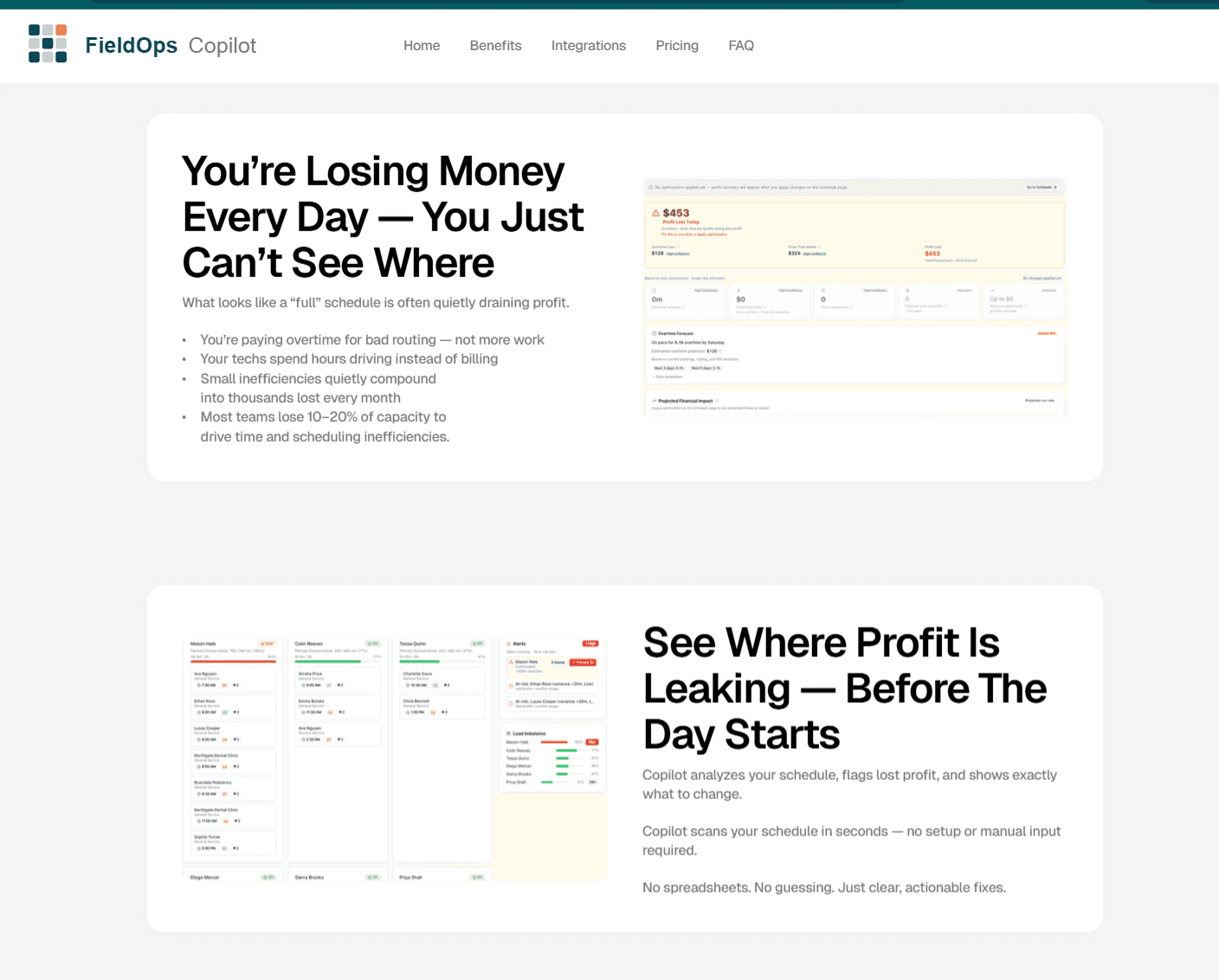
Forecast technician overtime risk based on the schedule you have right now — current bookings, realistic job durations, and routing — before the hours are earned.

No more end-of-week surprises. No more reactive payroll conversations. See which techs are on pace for OT today, this week, and through the end of the period — and what specific moves would change that trajectory.
Problem
Problem

Overtime shows up on Friday's payroll — long after you could have done anything about it.

Overtime shows up on Friday's payroll — long after you could have done anything about it.

Business impact
Business impact

You're paying a 1.5× premium for hours that better sequencing earlier in the week would have avoided.

You're paying a 1.5× premium for hours that better sequencing earlier in the week would have avoided.

FieldOps solution
FieldOps solution

Daily forecast with risk levels and dollar exposure. See OT on the horizon Monday morning, not Friday afternoon.

Daily forecast with risk levels and dollar exposure. See OT on the horizon Monday morning, not Friday afternoon.

2

2

Workload balancing

Workload balancing

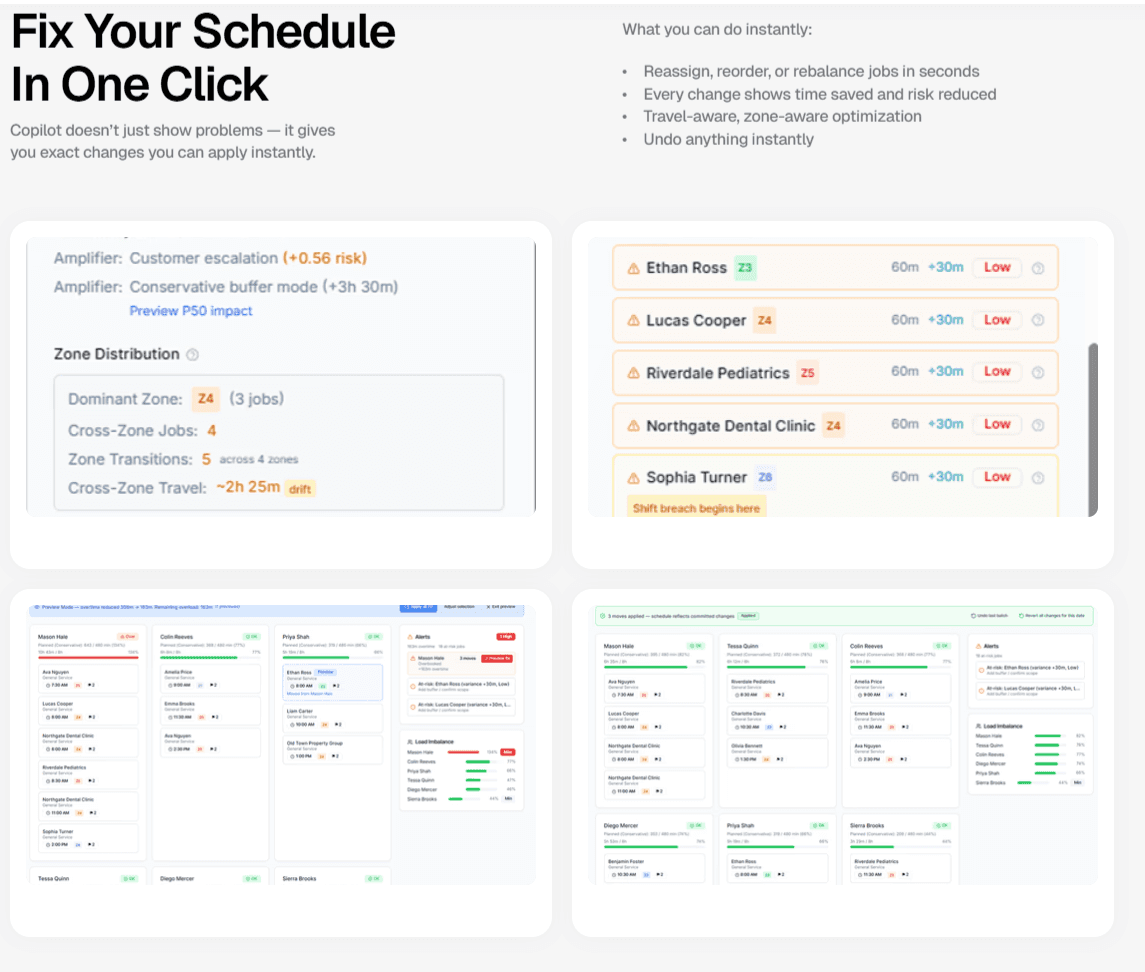
Surface load imbalance across your team and recommend rebalancing moves that respect skills, zones, and customer commitments.

Two techs running at 110%. Three running at 60%. The schedule looks "full" — but it's quietly burning your best people while leaving capacity on the bench. Copilot makes the imbalance visible — and shows exactly how to fix it.

Surface load imbalance across your team and recommend rebalancing moves that respect skills, zones, and customer commitments.

Two techs running at 110%. Three running at 60%. The schedule looks "full" — but it's quietly burning your best people while leaving capacity on the bench. Copilot makes the imbalance visible — and shows exactly how to fix it.

Problem
Problem

Dispatchers route by instinct and habit. Strong techs get more work. Imbalance compounds quietly.

Business impact
Business impact

Burnout and turnover on the top end. Wasted capacity on the bottom. Both expensive.

Burnout and turnover on the top end. Wasted capacity on the bottom. Both expensive.

FieldOps solution
FieldOps solution

Per-tech utilization view with one-click rebalancing recommendations — constraint-aware, fully reversible.
3

3

Route efficiency

Route efficiency

Identify cross-zone drive time, out-of-sequence stops, and routing inefficiencies. Suggest reorders that help reduce miles without changing what gets done.

Drive time isn't billable. Fuel isn't free. Copilot is travel-aware and zone-aware — it highlights when a tech is bouncing across zones and suggests a more efficient version of the day.

Identify cross-zone drive time, out-of-sequence stops, and routing inefficiencies. Suggest reorders that help reduce miles without changing what gets done.

Drive time isn't billable. Fuel isn't free. Copilot is travel-aware and zone-aware — it highlights when a tech is bouncing across zones and suggests a more efficient version of the day.

Problem
Problem

Jobs get added throughout the day. Routes degrade. Nobody re-optimizes.

Jobs get added throughout the day. Routes degrade. Nobody re-optimizes.

Business impact
Business impact

Hours of unbillable drive time and rising fuel costs — quietly compounding across a 10+ tech fleet.

Hours of unbillable drive time and rising fuel costs — quietly compounding across a 10+ tech fleet.

FieldOps solution
FieldOps solution

Travel-aware route scoring with reorder recommendations. Approved changes can be written back to Jobber in one click.

Travel-aware route scoring with reorder recommendations. Approved changes can be written back to Jobber in one click.

4

4

Capacity recovery

Capacity recovery

Quantify the schedulable hours and potential revenue you could recover from your existing team — without adding headcount.

Most growing teams reach for "hire more techs" before they've maximized the team they have. Copilot shows what's already on the bench: hours freed up by better sequencing, and the additional jobs your team could potentially absorb.

Quantify the schedulable hours and potential revenue you could recover from your existing team — without adding headcount.

Most growing teams reach for "hire more techs" before they've maximized the team they have. Copilot shows what's already on the bench: hours freed up by better sequencing, and the additional jobs your team could potentially absorb.

Problem
Problem

"We need more techs" — said before anyone has measured how much capacity is hidden in the current schedule.

"We need more techs" — said before anyone has measured how much capacity is hidden in the current schedule.

Business impact
Business impact

$60K–$80K of hiring cost (and 3 months of ramp) for capacity you may already have.

$60K–$80K of hiring cost (and 3 months of ramp) for capacity you may already have.

FieldOps solution
FieldOps solution

Quantified capacity recovery: hours unlocked, jobs absorbable, revenue opportunity at your average ticket.

Quantified capacity recovery: hours unlocked, jobs absorbable, revenue opportunity at your average ticket.

5

5

ROI visibility

ROI visibility

Most recommendations include a clear, defensible dollar estimate. Every applied change shows what it actually saved, using conservative assumptions by default.

Operational software usually shows you metrics. Copilot ties operational changes to financial impact — including overtime premium avoided, drive time reduced, and capacity unlocked. Trace any number back to the schedule it came from.

Most recommendations include a clear, defensible dollar estimate. Every applied change shows what it actually saved, using conservative assumptions by default.

Operational software usually shows you metrics. Copilot ties operational changes to financial impact — including overtime premium avoided, drive time reduced, and capacity unlocked. Trace any number back to the schedule it came from.

Problem
Problem

You can't manage what you can't measure — and operational metrics rarely tie to dollars.

You can't manage what you can't measure — and operational metrics rarely tie to dollars.

Business impact
Business impact

Decisions get made on instinct. ROI conversations get squishy. Wins go uncounted.

Decisions get made on instinct. ROI conversations get squishy. Wins go uncounted.

FieldOps solution
FieldOps solution

Conservative and Realistic views, with traceable math behind every figure. Defensible numbers, not vibes.

Conservative and Realistic views, with traceable math behind every figure. Defensible numbers, not vibes.

All five, in one workflow

One dashboard. One source of truth. Same Jobber.

Copilot reads your Jobber schedule, runs all five analyses continuously, and surfaces a daily ROI view your dispatcher can act on in minutes.

Business dashboard showing revenue, deals, customer list, growth chart, and new activity.

Operational focus

Built for real field service scheduling challenges.

Powerful Features. Zero Guesswork

FieldOps Copilot is built to address the day-to-day operational realities that quietly erode margin in growing field service businesses:

Overloaded technician schedules

Full feature access

Full feature access

Dispatcher bottlenecks

Full feature access

Full feature access

Hidden overtime exposure

Jobber integration included

Jobber integration included

Rising fuel costs

ROI + profit recovery dashboard

ROI + profit recovery dashboard

Uneven workload distribution

Dedicated onboarding support

Dedicated onboarding support

Want to see the HVAC-specific view? See the HVAC scheduling page.

Pre-qualifying fit

Who FieldOps Copilot is built for.

Powerful Features. Zero Guesswork

We're focused on a specific kind of team. If you're outside this profile, Copilot probably isn't the right fit yet — and we'd rather tell you that up front.

Built for

Residential field service teams

5–20 technicians

Teams already using Jobber

Dispatchers making daily scheduling decisions

Not ideal for

Solo operators

Enterprise FSM environments

Capacity recovery without adding headcount

FAQ

Common questions about FieldOps Copilot features.

Does this work for emergency HVAC scheduling?

Yes. HVAC schedules change constantly due to urgent service calls. FieldOps Copilot helps identify how those schedule changes affect technician load, drive time, and overtime risk.

Can it help during seasonal spikes?

Yes. During peak heating and cooling seasons, workload balancing becomes even more important. FieldOps Copilot helps maximize existing technician capacity before adding headcount.

Does this work with specialized HVAC technicians?

Yes. Recommendations are designed to respect technician skills, certifications, and service areas. See how Copilot identifies overtime risk.

Can this reduce overtime in HVAC?

FieldOps Copilot helps identify scheduling inefficiencies that may contribute to overtime. Actual overtime reduction depends on operational decisions and schedule changes.

Do I need to change how my team uses Jobber?

No. Your team keeps using Jobber normally. FieldOps Copilot works alongside it to improve schedule efficiency.

Find out what these five capabilities are worth to your team.

Find out what these five capabilities are worth to your team.

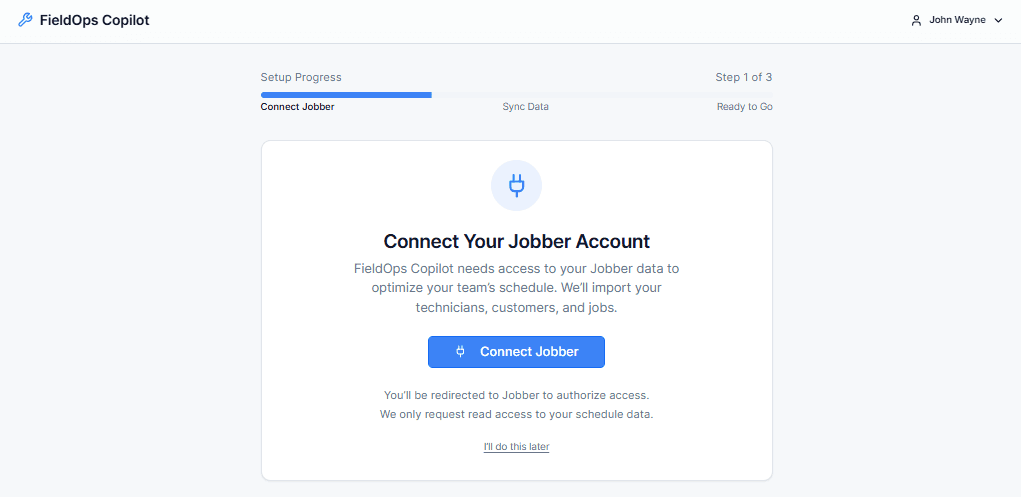
Start your pilot and connect your Jobber account — we’ll guide you through setup and show, in your real schedule, what each feature would have saved last week.

Start your pilot and connect your Jobber account — we’ll guide you through setup and show, in your real schedule, what each feature would have saved last week.

We onboard pilot teams directly. Setup takes about 10 minutes.

See My Lost Profit

See My Lost Profit

⚠️ Limited pilot spots available — we onboard teams manually